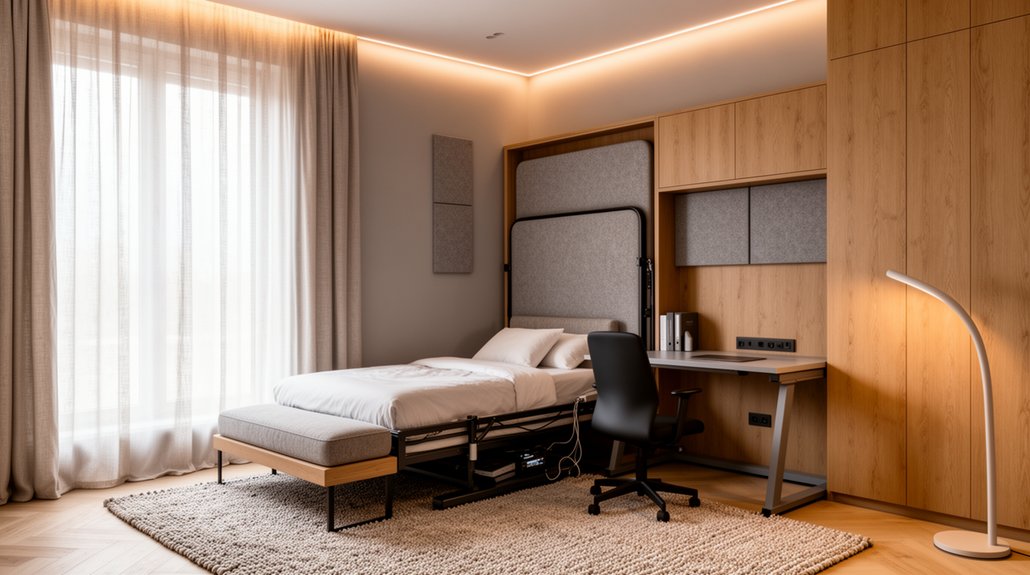
Zone the room so work and sleep feel intentional: in 2.4–2.7 m widths, place a 45–55 cm desk on the window wall and keep 75–90 cm clearance; in bigger rooms, float the desk and add a slim credenza. Choose a Murphy bed, sleeper sofa, or daybed based on comfort and walkway needs. Use closed storage, labeled raceways, and recessed USB-C/Qi2 charging to hide tech. Next, you’ll see how to reset it in five minutes.
Key Takeaways
- Plan the layout by room width: desk on window wall in small rooms, perpendicular in mid-size, credenza behind desk in larger spaces.
- Choose a space-smart bed—Murphy, sleeper sofa, or daybed—while maintaining 75–90 cm chair clearance and 30–36 inches walkway.
- Build an ergonomic workstation with adjustable seating, correct monitor height, task lighting, and fold-away or slim-profile desks to preserve floor space.
- Keep the room “guest-ready” using closed storage, multifunctional furniture, labeled cable routing, and a 5-minute reset routine that clears work clutter.
- Follow 2026 aesthetics: biophilic neutrals and softened earth tones, matte finishes, warm <3000K bedside lighting, and hidden USB-C PD and Qi2 charging.
Choose Your Guest Room Office Layout (By Size)
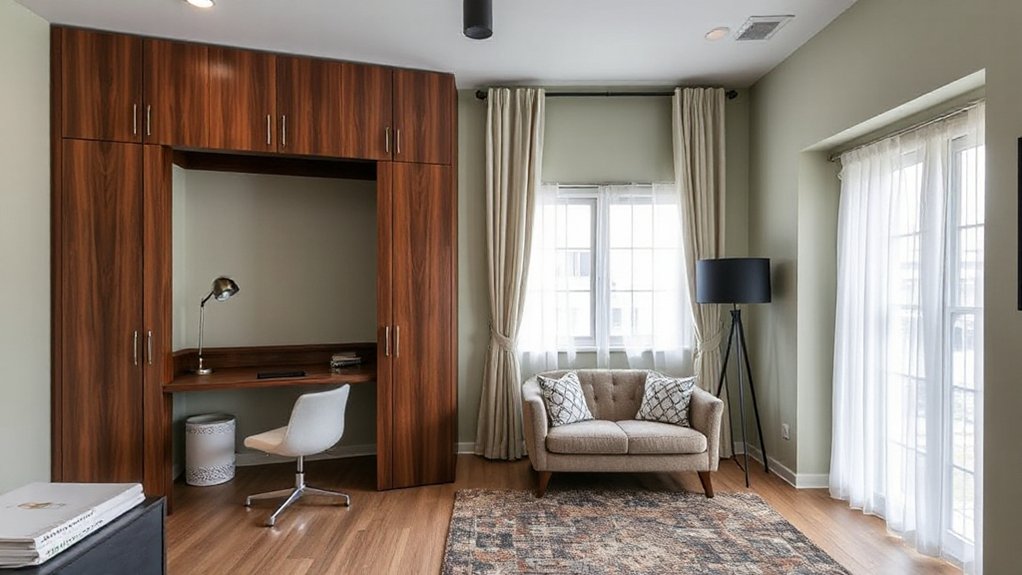
Whether you’re working with a tight box room or a generous spare suite, the right guest-room office layout starts with the room’s size and the clearances you can realistically keep. In a 2.4–2.7 m wide room, place a 45–55 cm deep desk on the window wall to maximize daylight and keep a 75–90 cm path past it. Use wall shelving above the desk so the floor stays open. In a mid-size room, float the desk perpendicular to the wall to create a work zone and a separate luggage drop, keeping 90 cm around the chair. In larger rooms, add a slim storage credenza behind the desk for printer and cables. This Guest room design reads intentional, and your Home office decor stays calm.
Pick a Guest Bed: Murphy vs Sleeper vs Daybed
To keep your office functional, you’ll need a bed that earns its footprint: a Murphy hides away, a sleeper sofa pulls double duty, and a daybed stays ready without dominating the room. Murphy beds typically win on floor-space efficiency, while sleepers and daybeds often win on speed of setup and everyday seating. Your tradeoff comes down to comfort, mechanism reliability, and how often you’ll convert the room from work mode to sleep mode.
Space-Saving Bed Options
How do you fit a real guest bed into a room that also has to earn its keep as a daily office? Start by measuring clearance: you’ll want a 30–36 inch walkway and full door swing, then choose the bed type that preserves floor area. A vertical Murphy bed frees the most space and supports clean furniture arrangement; pair it with a wall-mounted desk or a fold-down surface to keep the center open. A sleeper sofa works when you need daytime seating and can’t dedicate a full wall; place it opposite the desk to maintain sightlines. A daybed excels in narrow rooms, doubles as a lounge, and tucks under windows. Plan lighting solutions with dimmable layers so the room reads “office” by day, “guest” by night.
Comfort And Setup Tradeoffs
Once you’ve nailed the footprint, the real decision comes down to what your guests will actually sleep on—and how much daily friction you’ll tolerate to make it happen. A Murphy bed wins on true-mattress comfort and preserves daytime floor area, but you’ll need wall structure, clear swing space, and a disciplined reset routine. A sleeper sofa costs less and keeps seating, yet typical bar mechanisms and thin cushions reduce comfort; upgrade to a memory-foam or air-core model if you host often. A daybed splits the difference: fast setup, lighter visual weight, and easy layering, but it’s best for shorter stays. For Guest privacy, add a ceiling track curtain or screen. For temperature control, pair breathable bedding with a quiet fan or zoned mini-split.
Add an Ergonomic Desk That Folds Away
Although a full-size workstation can swallow precious floor space, a fold-away ergonomic desk lets you keep a guest room feeling open while still supporting healthy posture. Choose a wall-mounted folding desk with a stable hinge and a top deep enough for your forearms; that reduces shoulder load and encourages neutral wrists. Pair it with an adjustable chair and set monitor height so your eyes land on the top third of the screen—core ergonomics that cut neck strain during longer sessions. For 2026, look for slim profiles, rounded corners, and soft-touch laminates that resist fingerprints while blending with bedroom finishes. Add a compact task light and a small footrest so your ergonomic setup stays consistent whether you’re writing, video-calling, or planning.
Hide the Office With Closed Storage and Cables
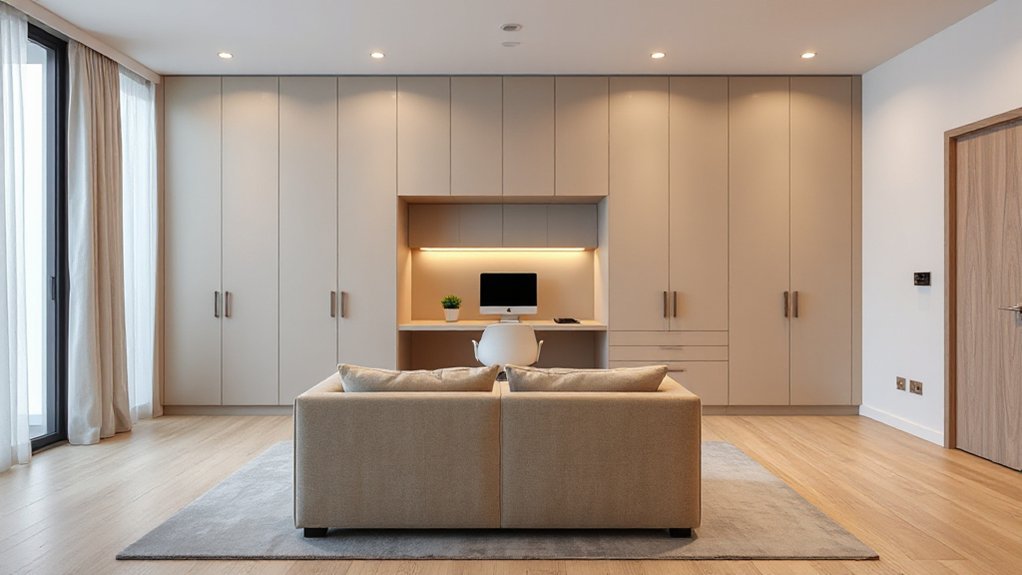
A fold-away desk buys you floor space, but visual clutter can still make the room read “office.” Closed storage solves that fast: use a shallow cabinet above the desk or a dresser with doors to hide the laptop, peripherals, and paper so guests see a calm, bedroom-like surface. Choose Multifunctional furniture like a storage bench or nightstand with a file drawer; it keeps supplies close without adding extra pieces. For Cable management, route power through a grommet, mount a surge strip under the desk, and run cords inside a paintable raceway along the baseboard. Label chargers and use short cables to cut slack. A lidded tray inside a drawer corrals adapters, so you don’t waste volume or sightlines.
Set Up a 5-Minute Work-to-Guest Reset
Set a 5-minute reset so your room flips from focused work zone to guest-ready without stress—routines outperform willpower when you’re busy. Quick-store work essentials in a single grab-and-go caddy and shut the door on visual clutter in one move. Then run a fast bed-prep routine: clear the surface, swap in fresh linens, and stage a towel and water so the space reads “hotel-ready” instantly.
Quick-Store Work Essentials
When your guest room needs to pivot fast, a “quick-store” kit turns the work zone into a welcoming space in about five minutes. Keep a lidded bin or drawer caddy within arm’s reach so you’re not hunting; research on friction shows fewer steps means better follow-through. Stash laptop, charger, mouse, headset, and notebook in labeled pouches, plus a microfiber cloth for quick screen and desk wipe-down.
Mount a slim cable tray under the desk and use Velcro ties so cords disappear instantly. Add Smart lighting presets that switch from “focus” to “guest” with one tap, reducing visual clutter and glare. Choose Eco friendly materials—felted wool organizers, bamboo trays, recycled-plastic sleeves—so the kit looks intentional, not temporary. Include a small “return-to-work” checklist card.
Fast Bed Prep Routine
Even if you’ve only got a few minutes between Zoom and an arrival, a standardized bed-prep routine lets you flip the room from “office” to “guest-ready” with minimal decision-making. Start by opening the window or running a quiet fan for two minutes to boost room ventilation and cut stale-air odor.
Next, clear the pillow zone: move laptop, cords, and notebook into your lidded work bin. Shake out the duvet, then use a “hospital corner” tuck on the foot for a crisp, hotel-like finish. Add one extra blanket in a labeled basket so guests can self-regulate temperature—key for guest comfort. Finish with a fresh pillowcase swap (keep two spares in the nightstand), a lint roller pass, and a small water carafe. Set a timer; repeat weekly.
Layer Lighting for Focus and Wind-Down
Although one ceiling fixture can technically light the room, layered lighting consistently delivers better task performance and a calmer pre-sleep environment by letting you control brightness, direction, and color temperature. Start with dimmable ambient lighting on a warm-to-neutral tunable bulb, so you can keep general illumination steady without glare. Add a focused desk lamp (300–500 lux at the work surface) to reduce eye strain and keep screens readable; aim it from the side to cut shadows. For wind-down, switch to low-level bedside sconces or a portable lamp with a diffuser, and drop to warmer settings (<3000K) to support melatonin-friendly routines. Use simple color psychology: cooler light cues alertness, warmer light signals rest. Put everything on smart scenes for one-tap shifts.
Choose Calm 2026 Colors for a Guest Room Office
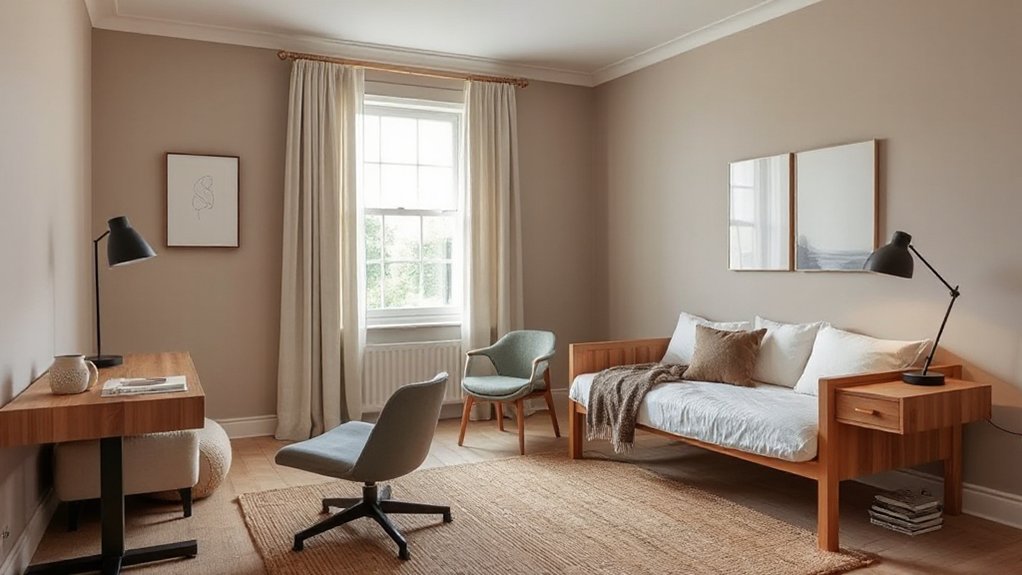
Because your guest room office has to switch gears fast, a calm 2026-leaning palette should rely on low-chroma, nature-based hues—think soft clay, muted sage, misty blue-gray, and warm off-white—which studies link to lower perceived stress and better visual comfort compared with high-saturation colors. Use Color psychology to assign roles: keep walls and large textiles in warm off-white or clay for an enveloping baseline, then add sage or blue-gray in small zones to cue “work mode” without visual noise. Trend forecasting for 2026 continues favoring biophilic neutrals and softened earth tones, so you’ll look current while staying timeless. Match undertones across paint, bedding, and desk accessories, and keep contrast gentle (matte finishes, tonal patterns) to reduce glare on screens and help guests unwind at night.
Add Compact Seating for Work and Visitors
You’ll get more function per square foot when you pick space-saving chairs that tuck fully under the desk or stack in a closet. Add sleeper-friendly lounge seating—like a compact slipper chair or armless loveseat—so guests have a spot to land without crowding the bed. Finish with modular ottomans and stools that slide under a console, double as footrests, and pull out fast when visitors arrive.
Choose Space-Saving Chairs
When floor space has to serve double duty, the right chair choice keeps the room functional without feeling crowded. Prioritize armless, slim-profile task chairs that slide fully under your desk; studies on workstation fit show reduced shoulder strain when armrests don’t force you forward, supporting ergonomic comfort. Choose a seat with adjustable height and a supportive back, but skip bulky headrests.
For guests, keep one or two lightweight side chairs that stack, nest, or fold flat into a closet. Look for molded plywood, recycled composite, or powder-coated steel—2026 favorites that deliver durability and easy cleaning. Match finishes to your desk and hardware for cohesive aesthetic appeal, and choose neutral upholstery with high-rub ratings for long wear. Add felt glides to protect floors, too.
Add Sleeper-Friendly Lounge Seating
If your guest room-office needs a spot to decompress without sacrificing circulation, choose lounge seating that converts cleanly and stores lean. Prioritize sofa beds with a slim track arm and 80–84-inch width so you keep a clear 30–36-inch walkway. Look for a tri-fold or click-clack mechanism that opens in one motion; faster conversions reduce daily friction and protect flooring. Pick firm, high-resilience foam over down-blend so you get upright support for laptop breaks and fewer body impressions for overnight guests. In 2026, performance bouclé and recycled-weave upholsteries lead because they resist pilling and clean with water-based solutions. Choose Convertible lounges with concealed legs and built-in lumbar pillows, then park them against a wall to maximize desk clearance and light flow.
Use Modular Ottomans Stools
Because floor area does double duty in a guest room-office, modular ottomans and stools give you “on-demand” seating without locking in a bulky footprint. You can tuck them under a desk, slide them beside a daybed, or pull them out when guests arrive—then stow them again to restore circulation.
- Choose Modular ottomans with firm, flat tops so they work as a perch, a laptop stand, or an impromptu side table.
- Prioritize lightweight frames and felted or soft casters; you’ll reduce floor scuffs and make reconfiguring faster during meetings or overnight setups.
- Pick performance fabrics and hidden storage to support multi purpose furniture trends: stash chargers, throws, or guest slippers while keeping the room visually calm.
Aim for coordinated sizes so pieces nest neatly.
Reduce Noise: Doors, Rugs, Panels, and Seals
How much better would your dual-purpose room feel if you could cut the constant “office noise” (calls, keyboard taps, HVAC hum) before it ever spreads? Start at the boundary: upgrade to soundproof doors or add perimeter seals, a door sweep, and latch adjustments to stop leaks where most noise escapes. Layer absorption next: a dense wool rug with felt underlay can reduce reflected sound and make footsteps less intrusive for guests. For hard walls, mount slim acoustic panels at ear height behind your desk and opposite the bed; they tame echo without stealing floor space, a 2026-friendly move toward cleaner, gallery-like surfaces. Finish with soft window treatments and a bookcase to scatter sound. You’ll work quieter and host calmer.
Add Hidden Charging + Video-Call Tech (2026)
Once you’ve tamed the room’s noise leaks and echo, fix the other thing that makes a dual-purpose space feel like an office: visible cables and clunky call gear. In 2026, you can hide power and upgrade presence without adding bulk. Choose compact, standards-based hardware so guests don’t face a tech obstacle course, and you’ll keep surfaces calm and wipeable.
- Hidden charging: Install a flush Qi2 pad in a nightstand or desktop grommet, plus a recessed USB‑C PD outlet behind the headboard for laptops.
- Cable management: Route cords through a paint-matched raceway or under-desk trough; label ends for fast swaps.
- Video call tech: Mount a 4K webcam on a slim monitor arm, add an auto-framing bar, and store it in a drawer when guests arrive.
Avoid the Biggest Guest Room Office Mistakes
If you want a room that genuinely works for guests and weekday work, avoid the few repeat-offender mistakes that make dual-purpose spaces feel cramped, noisy, and awkward to use. First, don’t park the desk beside the bed; you’ll steal circulation space and reduce Guest privacy. Put the workstation on the room’s “work wall,” and keep a clear 30–36-inch path to the sleeping zone. Second, skip flimsy seating and undersized desktops; ergonomics research links poor support to fatigue and shorter focus windows. Choose a compact, height-adjustable chair and a 20–24-inch-deep surface. Third, fix lighting control: layer dimmable overheads with task lighting, and add blackout shades so guests sleep while you still hit meeting-ready lux levels. Finally, avoid open clutter; use closed storage to cut visual noise and improve calmness.
Frequently Asked Questions
What Permits or HOA Rules Affect Converting a Guest Room Into an Office?
You’ll check zoning regulations for home occupations, parking, signage, and business licensing. You’ll review homeowner association restrictions on noise, clients, exterior changes, and rentals. If you add plumbing or wiring, you’ll pull building permits.
How Do I Choose Window Treatments for Privacy Without Blocking Daylight?
Choose top-down/bottom-up Window blinds to admit light while shielding sightlines. Layer sheer Privacy curtains for diffuse daylight and nighttime coverage. Opt light-filtering fabrics, pale tones, and inside mounts; measure precisely to prevent gaps.
What Are the Best Air-Purifying Plants Safe for Pets in Small Rooms?
You’ll do best with spider plant, Boston fern, areca palm, and parlor palm—pet friendly greenery that suits tight spaces. They’re widely cited for air purifying foliage. Keep them elevated, guarantee bright indirect light, moderate watering.
How Can I Improve Room Airflow and Temperature Control for Overnight Guests?
Run a ceiling or box fan—fans can make you feel up to 4°F cooler. Add a programmable thermostat, seal drafts, crack opposing windows for air circulation, and use breathable bedding plus blackout curtains for steadier temperature regulation.
What’s the Best Way to Add a Closet Without Losing Too Much Workspace?
Choose a shallow, floor-to-ceiling wardrobe with sliding doors so you keep desk clearance and walking space. Pair it with wall mounted shelving and modular storage solutions above the workstation, maximizing vertical volume without widening the footprint.
Conclusion
Designing a dual-purpose guest room and home office for 2026 works best when you treat the space like a Swiss Army knife: every element earns its keep. Choose a layout that fits your room size, pair it with a bed that disappears or multitasks, and use fold-away ergonomics to protect your posture. Closed storage, tidy cables, and a 5-minute reset keep the shift seamless. Add quieting layers and hidden charging, and you’ll avoid the usual clutter traps.
About the Author