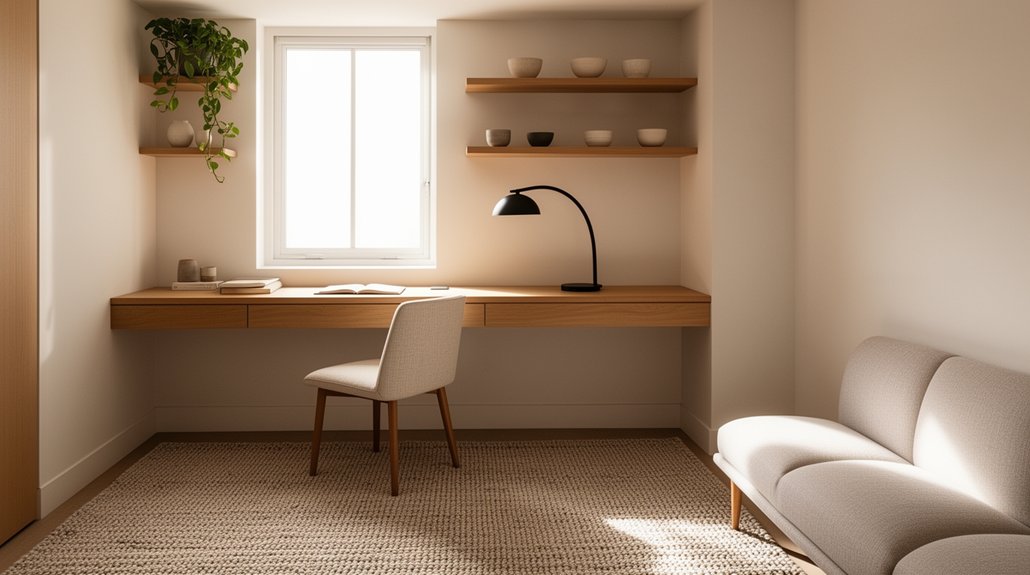
Carve out a low-traffic corner with natural light, then define it with a rug edge or bookshelf so it feels intentional, not improvised. Choose a slim desk and an adjustable chair that tucks in fully, and go vertical with shelves or a pegboard to keep surfaces clear. Hide cords in one power hub and clips, and layer warm ambient light with a glare-free task lamp. Add a dense rug or fabric panels, and you’ll reveal even more easy upgrades.
Key Takeaways
- Choose a low-traffic, naturally lit corner and frame it with a rug edge or bookshelf to define a stylish office zone.
- Map measurements, outlets, and door swings, then keep 70–90 cm walkways clear so the desk doesn’t disrupt room flow.
- Pick slim-profile furniture: a narrow desk, monitor arm, and compact ergonomic chair that tucks fully under the desk.
- Use vertical storage (floating shelves, pegboards, rails) plus small filing tools to keep essentials accessible and surfaces clutter-free.
- Layer lighting and hide cables with clips and Velcro ties, so the setup feels intentional, cozy, and clean off-duty.
Pick the Best Spot for Your Small-Flat Office
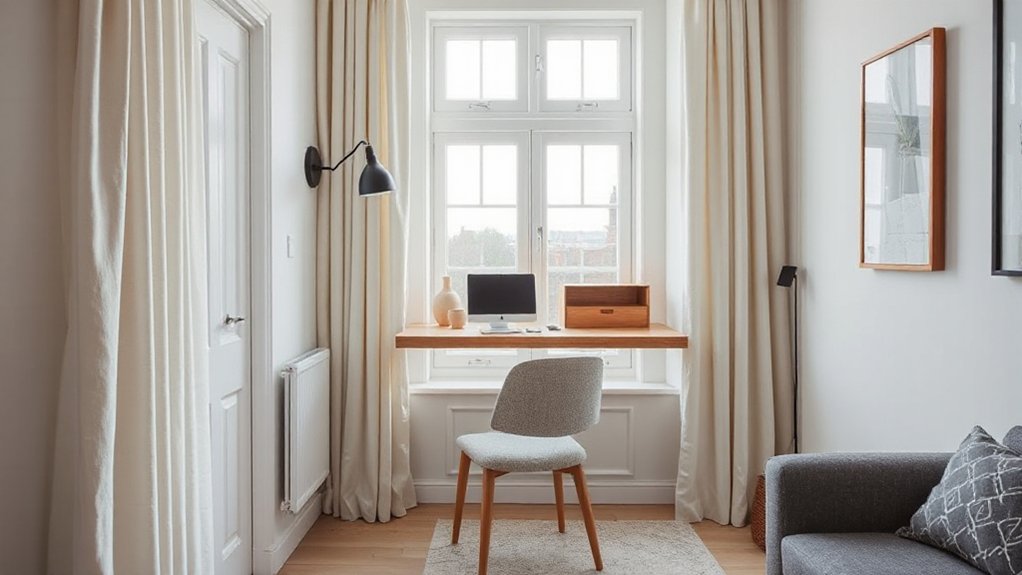
If you choose your office spot with intention, you’ll save space and keep your flat looking pulled together. Start by scouting low-traffic zones: a window-side corner, the end of a sofa, or a wide hallway nook. Prioritise natural light, but plan smart lighting options for evenings—an adjustable wall sconce or slim floor lamp keeps surfaces clear. Face your seat toward the room so your setup reads like a styled vignette, not a workstation crash-landed in your living area. Use a rug edge or bookshelf side to “frame” the zone without building walls. Check outlet access and keep cords tight to skirting boards. Finally, leave room for ergonomic accessories, like a footrest or compact seat cushion, without crowding pathways.
Decide What You Need: Laptop, Monitor, Storage
Once you’ve claimed your office zone, get ruthless about what actually earns a footprint: your laptop, a monitor (only if it genuinely improves your workflow), and storage that matches the way you work. If you’re laptop-only, invest in a stand and compact keyboard so ergonomic positioning doesn’t wreck your neck. If you’re staring at spreadsheets or designing, add a slim monitor on an arm; you’ll gain screen real estate without visual clutter.
Next, choose storage by behavior, not fantasy. Paper-light? Go vertical with a wall file and one lidded box. Tech-heavy? Use a docking station and a cable-hiding tray to keep the surface calm. Finish with color psychology: soft greens or warm neutrals focus you; bold accents energize without crowding.
Measure Your Flat (And Plan Clear Walkways)
Grab a tape measure (or a phone app) and map your room’s dimensions, including window lines, radiator depth, and door swing. Then define clear walkways—aim for an easy, clutter-free path from entry to sofa to kitchen, so your office zone doesn’t choke the flow. With that footprint in mind, you can zone your desk placement where it looks intentional and keeps circulation smooth, not squeezed.
Map Room Dimensions
Before you buy a desk or commit to a layout, map your room dimensions so every piece earns its footprint. Grab a tape measure and note wall-to-wall lengths, ceiling height, window placement, radiator bumps, and outlet locations. Sketch a quick floor plan on paper or in a free room-planning app, then plot door swings and window clearances to avoid awkward collisions. Measure the “usable rectangle” where furniture can actually sit, not just the total room size. Next, test furniture arrangements with scaled cutouts or digital blocks, including chair pull-out space. Keep your color schemes in mind as you map: lighter tones and consistent finishes visually stretch tight corners, while one bold accent wall can anchor the work zone without adding bulk. Recheck measurements before you order.
Define Clear Walkways
If your home office setup forces you to sidestep furniture or squeeze past chair legs, it’ll feel cramped no matter how stylish it looks. Start by measuring the routes you actually use: entry to window, sofa to kitchen, bed to wardrobe. Then protect those lines like design features, not leftover gaps. Aim for consistent traffic flow with a clear path you can walk without turning sideways. Use painter’s tape to mark a 70–90 cm lane on the floor and test it at different times of day. Adjust your furniture arrangement to support that lane: pull pieces flush to walls, swap bulky side tables for slim shelves, and angle corners away from paths. Your flat will look calmer and photograph better, too.
Zone Desk Placement
Once your walkways feel effortless, decide where the desk “lives” so it supports those paths instead of invading them. Measure wall lengths, door swings, and radiator clearance, then mark a no-fuss route from entry to sofa, bed, and kitchen. Place your desk parallel to the longest wall or float it behind a sofa to create a work zone without chopping the room.
- Leave 80–90 cm for main walking lanes
- Keep chair pull-back space clear, even when tucked in
- Angle the desk to borrow daylight, not block it
- Use Ergonomic accessories that stay slim: clamp lamp, monitor arm
- Finish with aesthetic accents: a small art print, matte tray, one plant
Choose a Small-Flat Desk That Blends In
Choose a desk with a slim profile so it tucks against a wall and keeps your floor space feeling open. Stick to light, airy legs or a wall-mounted style to avoid that bulky “office corner” look. Then match the finish to your flat’s decor—think warm wood with neutrals or matte black with modern accents—so it reads like furniture, not equipment.
Opt For Slim Profiles
While a bulky desk can instantly make a small flat feel cramped, a slim-profile option keeps your workspace functional without visually taking over the room. Choose a narrow top, tapered legs, or a wall-mounted design so you keep clear sightlines and easy flow. Prioritise a minimalist design that still fits your laptop, notebook, and a task lamp, then add ergonomic accessories that don’t add clutter.
- Pick a desk depth of 40–50 cm to preserve walkways
- Choose open legs over boxed pedestals for lighter visual weight
- Use a floating shelf-desk for instant floor space
- Add a cable tray underneath to keep edges clean
- Consider a slim rolling caddy instead of built-in drawers
Match Desk To Decor
If your desk looks like it belongs in the room, it won’t read as “extra furniture” that steals space. Start by borrowing cues from what’s already there: wood tone, metal finish, leg shape, even the sheen of your coffee table or shelving. When you choose matching furniture, the eye travels smoothly and your flat feels calmer.
Go for a desk that can pass as a console, vanity, or sideboard—clean lines, hidden storage, and a depth that won’t crowd walkways. Match hardware to your door handles or lamp bases for an intentional look. Then tie it together with decorative accents that multitask: a sculptural task lamp, a tray for supplies, or a framed print that covers cable clutter. Keep colors within your room’s palette.
Get a Comfy Chair That Won’t Wreck Your Back
Where do you start when every square metre counts and your back still needs support? Choose ergonomic seating that looks sharp yet works hard. Skip bulky executive thrones and go for a slim profile that tucks under your desk and swivels easily. Prioritise lumbar support, then fine-tune fit so you’re not perching or slouching through calls.
- Adjustable seat height to keep feet flat and knees level
- Contoured backrest with built-in lumbar support
- Compact base and smooth casters for tight turns
- Breathable upholstery in a neutral or on-trend tone
- Fold-down or low arms to slide in close to the desk
Test it for 10 minutes, not 10 seconds. Your spine will notice the difference.
Use Wall Storage to Free Up Floor Space
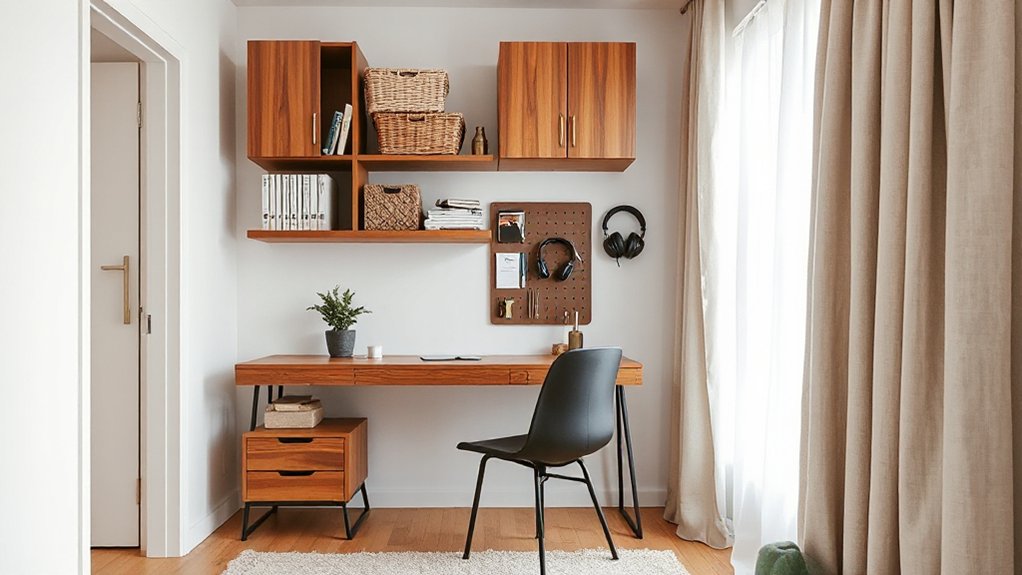
Keep your floor clear by taking storage vertical: mount floating shelves for your everyday essentials and leave the desk surface clean. Add a pegboard or sleek rail system to hang tools, cables, and stationery right where you use them. You’ll gain breathing room fast, and your setup will look intentional, not cluttered.
Floating Shelves For Essentials
Because floor space is your most limited resource in a small flat, floating shelves let you lift the essentials off your desk and out of your walkway without making the room feel crowded. Mount them at eye level, align them with your monitor, and you’ll keep everything within reach while your setup stays clean and intentional. Choose slim brackets or hidden supports for a modern look, and match finishes to your desk legs or hardware for cohesion. Add Decorative accents sparingly, so the shelf reads curated, not cluttered. If you crave life and color, Floating plant shelves bring greenery up high without stealing surface area.
- A tray for pens and cables
- A small inbox for mail
- A slim speaker or dock
- A reference shelf for two books
- A framed print or small plant
Pegboards And Rail Systems
Even if you’ve only got a sliver of wall next to your desk, a pegboard or rail system turns that vertical space into flexible storage without adding visual bulk. Mount it at eye level so you can grab tools fast, and keep the surface above your keyboard clear for focus. Use pegboard organization to group like items: pens and scissors in cups, chargers on hooks, notebooks on mini ledges.
Go modular with rail system customization: add a shallow tray for mail, a bar for headphones, and movable hooks for cables that migrate weekly. Choose matte black, warm oak, or soft neutrals to match your décor, then edit ruthlessly—store only what you use daily. Your floor stays open, and your desk looks intentional.
Add a Compact Filing System for Daily Papers
When your desk starts doubling as a landing pad for mail, receipts, and to-do lists, a compact filing system stops the paper creep before it takes over your small flat. Keep it tight, vertical, and good-looking so document organization doesn’t fight your decor. Choose pieces that match your palette and textures to upgrade filing aesthetics while staying functional. Set a five-minute daily reset: drop papers in, process weekly, shred monthly.
- Slim magazine files for “To Read” and “To Pay”
- A two-tier inbox that separates incoming vs. action
- A labeled accordion folder for categories you touch often
- A clip-on file rail that mounts to your shelf edge
- A small lidded box for receipts, stamps, and spare labels
You’ll clear your work surface fast, think cleaner, and keep your style intact.
Hide Your Workspace With Cabinet or Fold-Away Desks
If you want your living room to stay “off-duty” after hours, a cabinet desk or fold-away wall unit lets you close the laptop, hide the clutter, and instantly reset the vibe. Look for a slim profile with a drop-front surface, built-in cord cutouts, and a magnetic latch that won’t pop open. A smart cabinet design can tuck away a monitor, chargers, and a small tray for pens, so the outside reads like clean millwork, not an office. Choose fold away furniture with soft-close hinges and a sturdy bracket rated for your gear. Mount it at elbow height, add a plug-in puck light inside, and keep a compact chair nearby that slides under easily.
Create Zones: Work, Relax, and Sleep
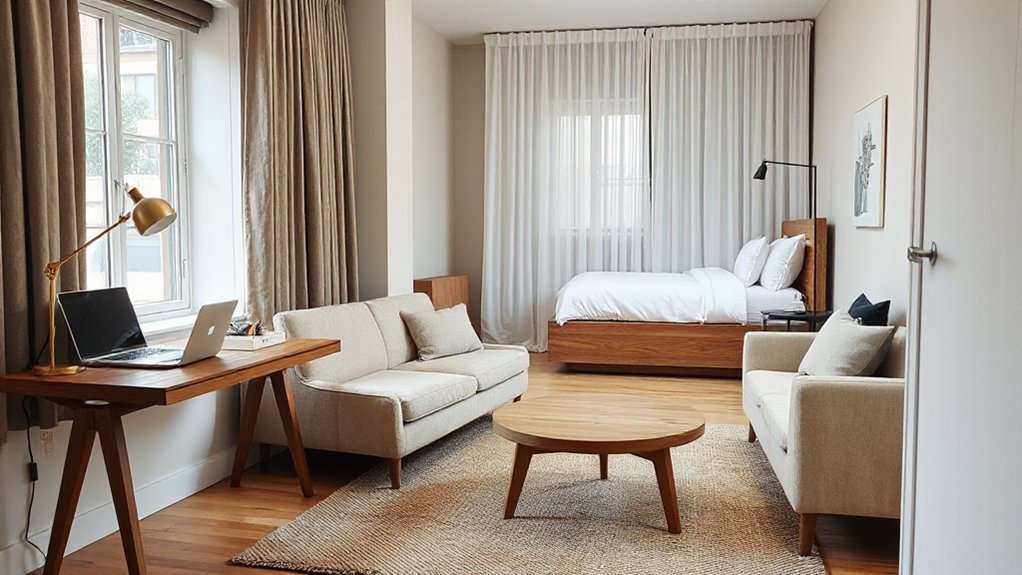
A fold-away desk keeps the mess out of sight, but you’ll still work better when your small flat has clear zones for focus, downtime, and sleep. Define each area with what you see and touch, not extra walls, so your brain switches modes on cue. Use color schemes and lighting to signal purpose, then layer in ergonomic accessories that move with you.
- Anchor “work” with a task lamp and a muted palette behind your screen
- Mark “relax” with warmer bulbs, a throw, and softer textures
- Keep “sleep” calm: no blue-white light, no work-facing sightlines
- Use a slim rug or runner to outline each zone without crowding
- Choose stackable seating or an ottoman to flex between zones quickly
Keep Clutter Down With a 5-Minute Reset
Although you can’t add square meters to a small flat, you can make it feel instantly bigger with a five-minute reset at the end of each work block. Set a timer, then do a quick sweep: stack papers into one tray, return pens to a cup, and wipe the desktop so it reads clean on camera and in real life.
Build organizational habits that stick by keeping your reset steps identical every time: toss trash, file one item, relocate three things, and straighten your chair. Use decor accessories that double as storage—lidded boxes, a slim catchall dish, a magazine file—so loose bits disappear without killing your vibe. Finish by resetting your “start tomorrow” scene: notebook centered, water filled, task list visible. Your zone stays calm, not chaotic.
Tidy Cables With Clips, Trays, and One Power Hub
Your five-minute reset won’t stick for long when cords creep back onto the desk and floor. Lock in a cleaner look with simple cable management that hides clutter without adding bulk. Start by choosing one power hub (a slim surge strip or USB-C dock) and give it a permanent home under the desk or inside a tray, so power organization feels intentional, not improvised. Then route every lead along a single path and anchor it, so nothing dangles into your legroom or photo-ready setup.
- Adhesive cable clips to guide cords along desk edges
- Under-desk cable tray to hold the hub and slack
- Velcro ties to bundle by device, not by chaos
- A short extension cord to reach one outlet neatly
- Label tags so swaps and packing stay painless
Fix Lighting: Bright Task Light, Zero Screen Glare
When lighting’s wrong, even the prettiest micro-office feels cramped, and screen glare turns work into a squint-fest. Start by placing your desk perpendicular to the window, then add a slim LED task lamp with a diffused head and adjustable arm. Aim light at your keyboard and notes, not your monitor, and keep it slightly in front of you to prevent reflections.
Layer in ambient lighting with a warm, dimmable floor or wall sconce so the room’s brightness matches your screen. Pick 2700–3000K for cozy evenings, and bump to 4000K for daytime focus. Set your monitor at eye level and pair it with ergonomic seating, so you’re not craning toward light. A matte screen filter helps in stubborn spots.
Reduce Noise on a Budget (Rugs, Seals, Panels)
Why does a tiny flat make every Zoom call sound like it’s happening in a hallway? Hard surfaces bounce chatter, footsteps, and street noise straight into your mic. You can tame it without turning your place into a recording studio—just layer soft materials and block gaps where sound sneaks in.
- Anchor your desk zone with a dense rug or rug pad to kill slap echo.
- Add door seals to stop sound leaks from the corridor and kitchen.
- Hang soundproof curtains over windows (and even open closets) for instant dampening.
- Mount slim felt or fabric panels with removable strips; place them at ear height.
- Use a bookcase as a diffuser, styling it with baskets to hide clutter.
Small upgrades, big calm, still stylish.
Frequently Asked Questions
How Do I Claim Home-Office Tax Deductions When Working From a Small Flat?
You’ll claim home-office deductions by measuring your workspace percentage and applying it to deductible expenses like rent, utilities, and internet, meeting documentation requirements with receipts and logs. Use an exclusive corner, track hours, and consult local rules.
What Are the Best Video-Call Backgrounds for Tiny Apartments?
Turn your chaos into “curated minimalism”: sit facing a blank wall with Decorative wall art, add stylish lighting, or use a tidy bookshelf. Keep depth behind you, hide clutter in baskets, and blur sparingly.
How Can I Improve Wi‑Fi Stability in a Small Flat Home Office?
Place your router centrally, elevate it, and switch to 5GHz where possible. Reduce interference by moving it from microwaves and metal. Upgrade antennas, try mesh or signal boosters, and optimize Wi Fi range with channel changes.
Should I Get Home-Office Insurance Coverage for Equipment in a Rented Flat?
Yes—you should, especially if your laptop, monitor, or camera’s costly. Add equipment coverage to your home insurance or renter’s policy, covering theft, spills, and transit. Confirm limits, deductibles, and work-use exclusions.
How Do I Protect Privacy on Calls When Roommates Are Home?
You’ll protect privacy by scheduling calls via Roommate communication, using headphones with a boom mic, and adding Privacy curtains or a folding screen. Keep volume low, enable noise suppression, and use white-noise apps outside your door.
Conclusion
You don’t need a spare room to work well—you need smart choices. Tuck your desk where dead space lives, then pair it with a chair that looks sleek but feels supportive. Keep surfaces calm while your storage works hard, and do a five-minute reset so “home” doesn’t turn into “office.” Hide cables, add glare-free task lighting, and soften sound with rugs or panels. Small flat, big focus, still stylish.
About the Author